Configure the custom theme
for an individual modern report
Configure the custom theme
for an individual modern report
If you need to customize the colors for an individual report you can define a custom theme for the report.
The colors you select for your report will override the custom theme template defined by your Administrator. The colors you select for your report-level custom theme apply to all of the charts in the report but will not be applied to any other reports except duplicates of the report. When you duplicate a report, your custom theme for the original report is included in the duplicated report.
You can add up to 12 color swatches to your custom theme. The colors
are applied to your charts in order from left to right. If the chart contains
more items than the defined number of swatches in your custom theme, the colors
are repeated in the same order starting with the first swatch. The
Chart Preview shows how the first 12 bars will
be displayed. In the following example, the repeated colors are
indicated.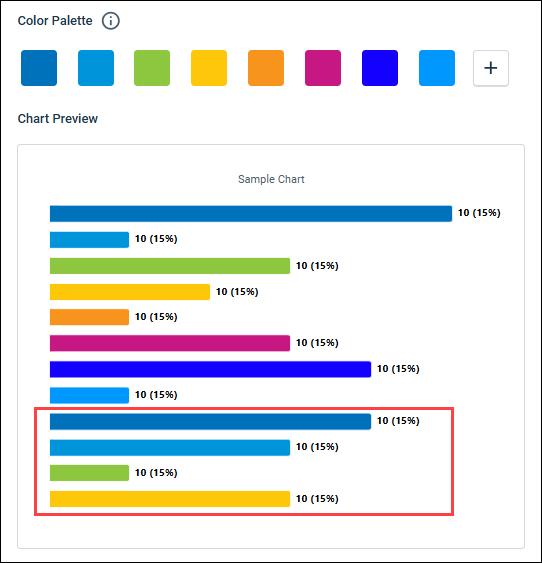
-
On the report toolbar, select
.

The starting point for your report-level custom theme is the custom theme template defined by your Administrator.
- Optional:
To start with a blank palette, click
Clear Palette, and then click
Clear in the confirmation dialog.

-
To add a color to the palette, click
Add.

The color is added to the palette as a black swatch which you can change to your desired color.
-
To change the color of a swatch:
-
Click the swatch you want to change.

-
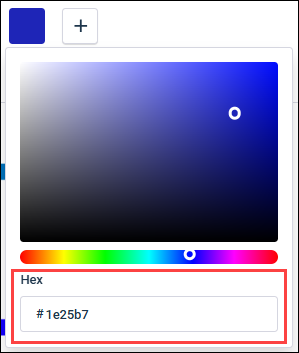
If you have the hex code for the specific color you want to
use, enter it in the
Hex text box.
-
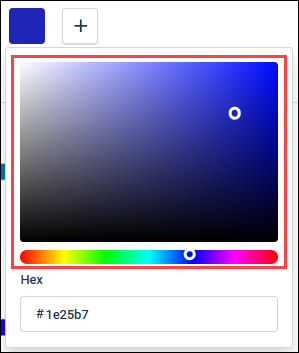
Choose the color you want interactively in the color field and
hue slider.
-
Click the swatch you want to change.
-
To remove a color from the palette, click
Delete Color.